The Phomemo M250 Label Maker Machine review comes down to one useful distinction: this portable thermal printer supports labels up to 3.14 inches wide, while remaining small enough to carry.
Its app-based design and computer connection give it flexibility for home organization and small-business labeling, though it cannot print standard 4-by-6-inch shipping labels.
Phomemo M250 Review Summary
The quick verdict
700+ ratings
Read Amazon ReviewsPhomemo M250
A fit for home organizers and small businesses that need customizable labels wider than compact handheld printers can handle.
- Prints labels from 0.78 to 3.14 inches wide, for uses such as addresses, barcodes, QR codes, cables, jars, food labels, and names.
- Uses direct thermal printing, so the described printing method does not require ink or toner.
- The Print Master app supports text, QR codes, OCR, images, voice recognition, and batch printing.
- The app includes more than 1,500 symbols, 200 templates, 110 fonts, and 20 languages.

Pros
- Wider label support than many small handheld models, without moving into a dedicated 4-by-6 shipping-printer format.
- A versatile app toolkit for text, images, OCR, voice input, and repeated batch jobs.
Consider before buying
- It does not support standard 4-by-6-inch labels, so frequent parcel shipping calls for a different printer format.
- Computer printing requires installing the driver and Labelife app, adding a setup step compared with mobile Bluetooth use.
Read the full review summary
The M250 pairs a wider label format with mobile convenience.
Its 0.78-to-3.14-inch printing width can accommodate address, barcode, QR code, cable, jar, food, and name labels, while the Print Master app offers text, images, OCR, voice recognition, and batch printing.
A 2,200mAh battery is described as capable of printing up to 5,000 labels per charge, and automatic sleep mode activates after five minutes of inactivity.
This model suits people who want more room for label layouts than a tiny handheld label maker provides, but still value a portable device.
Phone and tablet printing uses Bluetooth; Windows 7 or later and macOS computers connect over USB with the driver and Labelife app.
The width ceiling matters: if your routine centers on standard 4-by-6-inch parcel labels, this is the wrong format.
The buying factors
Phomemo M250 Scorecard
Editorial scores reflect listed features and buyer fit; they are not laboratory measurements or customer ratings.
Label width flexibility
The 0.78-to-3.14-inch width range covers a broad set of organization and product-label tasks, with a clear limit below 4-by-6-inch shipping labels.
App design tools
The app combines batch printing and several content tools with a large selection of templates, fonts, symbols, and languages.
Device compatibility
Bluetooth supports mobile devices, while USB extends use to Windows 7 or later and macOS computers.
Portability
At 390g, it is designed to travel in a bag or backpack, though it is larger than the smallest handheld labelers.
Battery convenience
The stated capacity of up to 5,000 labels per charge and automatic sleep mode are useful for mobile labeling sessions.
Shipping-label suitability
Its maximum supported width is 3.14 inches, and the product does not support standard 4-by-6-inch labels.
Key Features and Specifications of Phomemo M250
- Prints labels from 0.78 to 3.14 inches wide, for uses such as addresses, barcodes, QR codes, cables, jars, food labels, and names.
- Uses direct thermal printing, so the described printing method does not require ink or toner.
- The Print Master app supports text, QR codes, OCR, images, voice recognition, and batch printing.
- The app includes more than 1,500 symbols, 200 templates, 110 fonts, and 20 languages.
- A 2,200mAh battery is described as supporting up to 5,000 labels per charge; the printer enters automatic sleep mode after five minutes of inactivity.
- Bluetooth connects smartphones and tablets; USB connection with the driver and Labelife app supports macOS and Windows 7 or later.
- The printer weighs 390g and uses an integrated paper-loading structure.
Pros and Cons of Phomemo M250
Pros
- Wider label support than many small handheld models, without moving into a dedicated 4-by-6 shipping-printer format.
- A versatile app toolkit for text, images, OCR, voice input, and repeated batch jobs.
- Both mobile Bluetooth and wired computer workflows are supported.
- Portable construction and a battery designed for up to 5,000 labels per charge suit labeling away from a desk.
Consider before buying
- It does not support standard 4-by-6-inch labels, so frequent parcel shipping calls for a different printer format.
- Computer printing requires installing the driver and Labelife app, adding a setup step compared with mobile Bluetooth use.
- The claimed label count is an upper limit; the data does not specify how label size or print content affects the number per charge.
Who Should Buy Phomemo M250?
Good fit
Consider the M250 if you label a mix of storage containers, food jars, cables, names, addresses, or small-business products and want room for wider layouts.
The combination of up to 3.14-inch width and batch printing can make it easier to handle varied label sizes and repeated runs from the same device.
It is also a reasonable fit if you move between a phone or tablet and a computer. Bluetooth covers mobile editing through Print Master, while USB gives Windows and macOS users another way to print.
Before buying, check that your preferred label stock falls within the supported width and that your computer setup can accommodate the required software.
For mobile work, the 390g weight and stated battery capacity support carrying the printer between rooms, workspaces, or events.
Treat the 5,000-label figure as an upper limit, and plan for variation with the labels and print jobs you use.
Who should skip it
Skip this model if you need standard 4-by-6-inch postage or shipping labels; its maximum width is 3.14 inches.
If you expect to print from a computer, first confirm that you can install its driver and Labelife app and connect by USB. A phone-first workflow may be simpler if you do not want that setup.
How the Phomemo M250 Fits a Flexible Labeling Routine
A useful middle ground in label width
The 0.78-to-3.14-inch range gives the M250 room for labels larger than narrow name or cable tags. That can help when a label needs a longer address, a barcode, or more than one line of information.
The width ceiling is decisive for shipping workflows: standard 4-by-6-inch labels are outside its supported range, so check the exact dimensions of your label stock before choosing it.
App tools for varied jobs
Print Master supports several ways to build a label, including text entry, images, OCR, and voice recognition. The selection of templates, fonts, symbols, and languages adds options for personal organization and product labeling.
Batch printing is especially relevant when repeating the same design across many items; it can reduce repeated editing, though the supplied details do not quantify how long a particular batch takes.
Portable use and battery planning
At 390g, the printer is positioned for carrying in a bag or backpack rather than staying permanently at a packing station.
Its 2,200mAh battery is described as printing up to 5,000 labels, with an automatic sleep mode after five minutes of inactivity.
Those figures support a portable-use case, but actual output will depend on the job; plan around your workload rather than assuming every charge will reach the maximum.
Choosing a connection path
The M250 separates mobile and computer workflows: phones and tablets connect through Bluetooth and Print Master, while computers use USB with a driver and Labelife.
That gives a buyer options across devices, but adds a software setup step for desktop printing. If computer use is central, check operating-system compatibility and whether installing the required software fits your routine.
Alternatives to Phomemo M250
Desktop Label Printers alternative

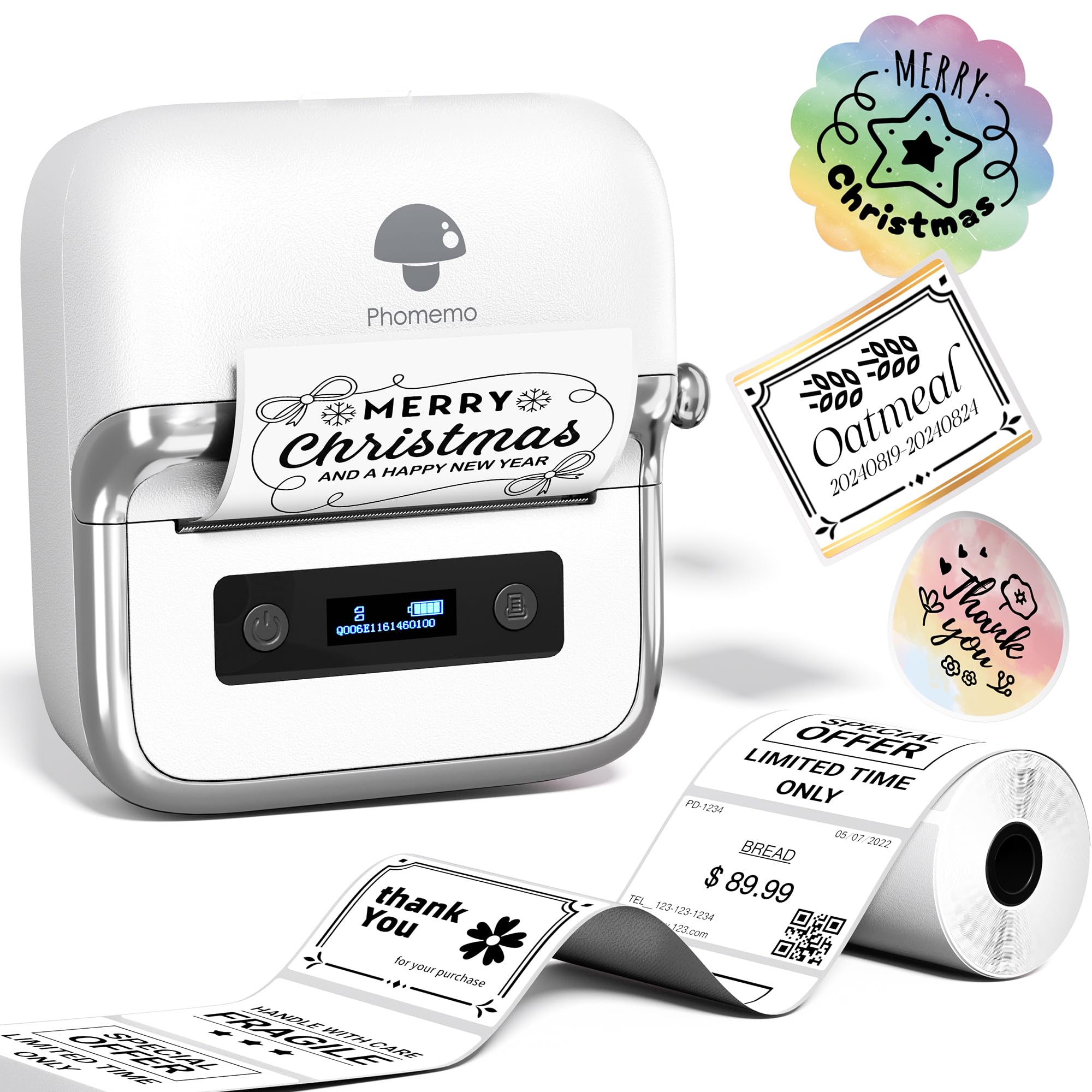
700+ ratings
Read Amazon ReviewsPhomemo M220
Compare the M220 if you want the same stated maximum label width and a battery description expressed in rolls rather than individual labels.
The M250 may be a better match if its up-to-5,000-label battery claim and stated compatibility with Windows and macOS align more clearly with your workload; neither is intended for 4-by-6-inch shipping labels.
- The M220 also supports labels from 0.78 to 3.14 inches, but its details describe up to 36 rolls of continuous printing and Bluetooth for phones and tablets plus USB for Windows, macOS, and Chrome OS computers.
- The M250 supports labels up to 3.14 inches wide, uses a 2,200mAh battery rated for up to 5,000 labels, and connects to computers by USB.
Desktop Label Printers alternative
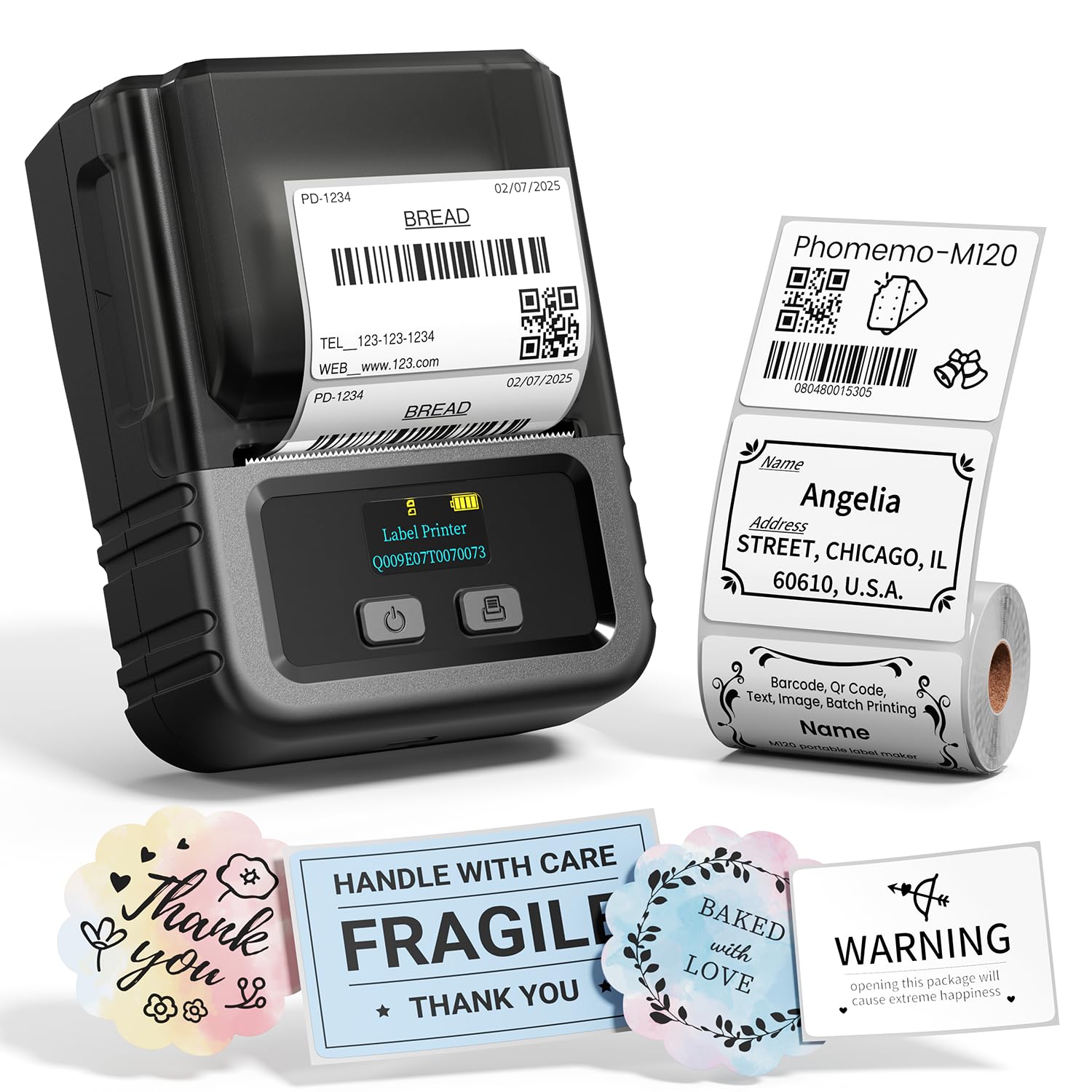
1,000+ ratings
Read Amazon ReviewsPhomemo M120
Choose the M120 if you prioritize a lighter printer and labels no wider than 50mm; it is also described with USB-C computer connectivity.
The M250 is the more suitable fit when your projects benefit from labels wider than the M120's 50mm maximum.
- The M120 supports 20-to-50mm labels, weighs 235g, and provides Bluetooth for iOS and Android alongside USB-C computer connectivity for Windows, Mac, and Chrome OS.
- The M250 supports labels up to 3.14 inches wide and pairs a mobile app workflow with USB computer printing.
Is Phomemo M250 Worth It?
The Phomemo M250 is worth considering for home organizers and small businesses that need varied labels wider than compact handheld printers typically accommodate, plus app tools for custom designs and batch jobs.
Its portability, battery design, and mobile-and-computer connections make it adaptable across several labeling routines.
Buy it if your labels stay within 3.14 inches and the Print Master and Labelife workflows suit your devices.
Choose another printer format if you need 4-by-6-inch shipping labels, and check the actual label dimensions and software requirements before committing.
Your review at a glance
700+ ratings
Read Amazon ReviewsPhomemo M250
A fit for home organizers and small businesses that need customizable labels wider than compact handheld printers can handle.
- Prints labels from 0.78 to 3.14 inches wide, for uses such as addresses, barcodes, QR codes, cables, jars, food labels, and names.
- Uses direct thermal printing, so the described printing method does not require ink or toner.
- The Print Master app supports text, QR codes, OCR, images, voice recognition, and batch printing.
- The app includes more than 1,500 symbols, 200 templates, 110 fonts, and 20 languages.